Contents
Printers at beachfront hotels and villas in Bali fail early because sea salt settles on metal parts and circuit boards, and Bali's average humidity of over 80% keeps that salt wet and corrosive. What works best: move the printer into a closed, air-conditioned room, keep paper sealed, fit a voltage stabilizer, and service it monthly.
Why does electronic equipment break so quickly at coastal hotels?
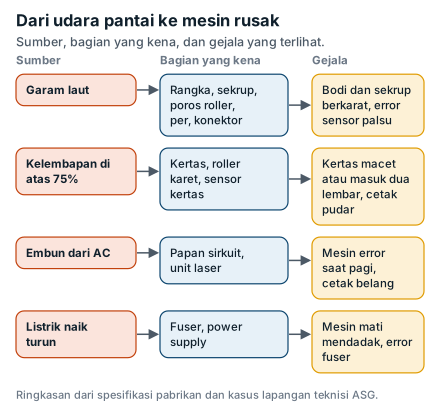
Electronics at coastal hotels and villas wear out faster because four things act on them at once: salt, humidity, condensation and unstable power. Sea breeze carries fine salt that settles on metal and circuitry. Bali's humid air lets that salt absorb water and turn into a conductive film. Air-conditioned rooms that open onto a lobby create condensation on anything cold. And voltage swings, or the switch to a generator, stress power supplies. AC units, TVs, routers and door locks all suffer. Printers usually go first, and they are what our technicians deal with almost every day at hotels and villas across Bali.
Why is the front office printer always the one that breaks?
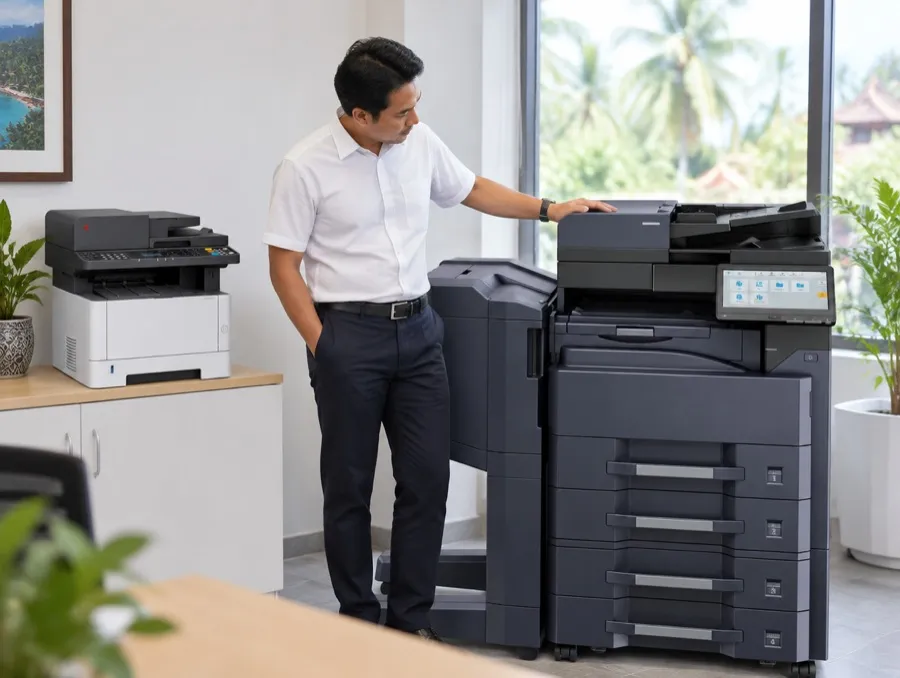
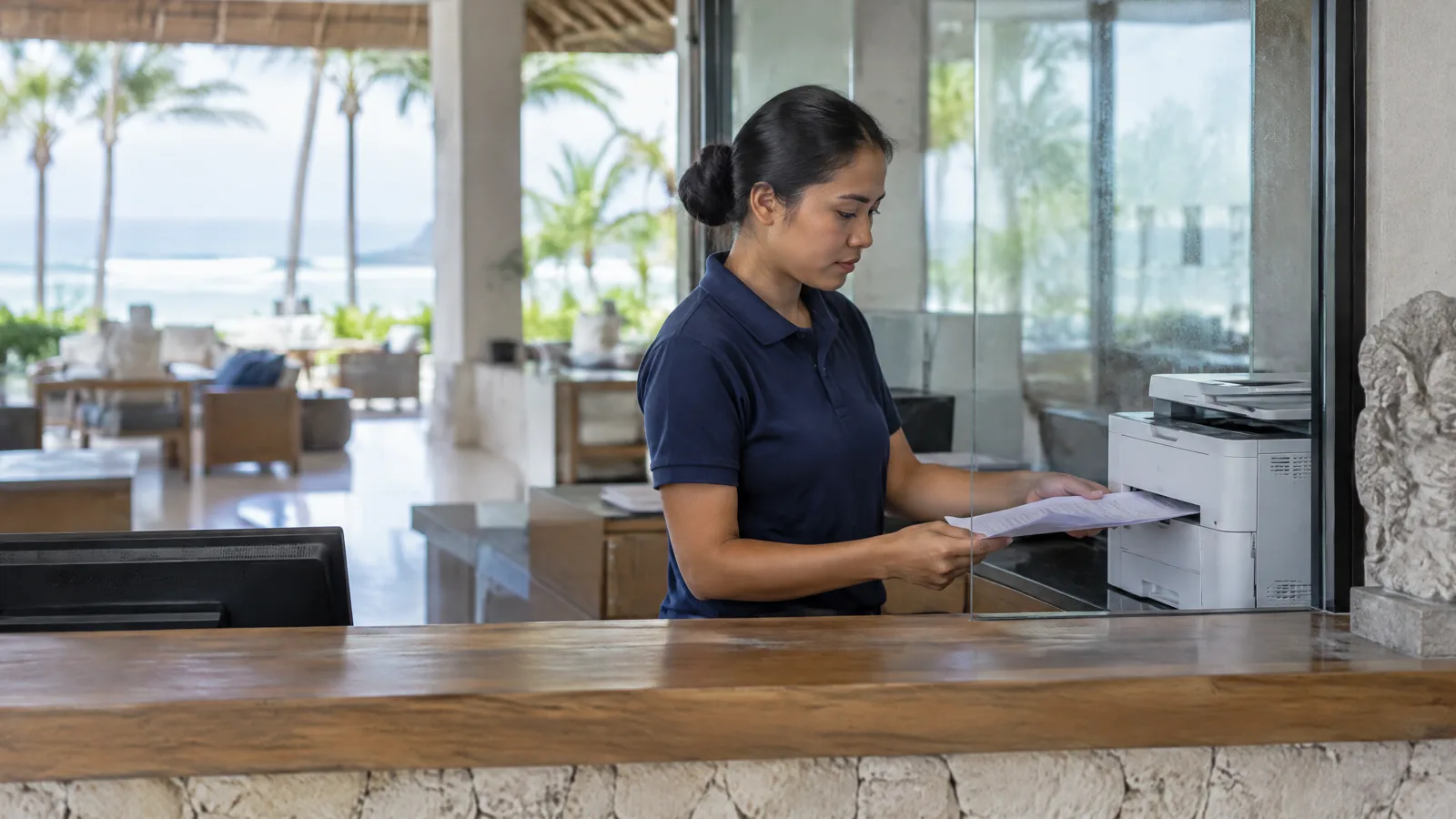
Printers are more exposed than most equipment: they are full of precision moving metal, they have an open paper path, and laser printers run a cooling fan that keeps pulling outside air through the machine. At an open-air reception desk, that air is humid sea air.
As Timothy puts it: "A laser printer has a hot fuser, so it needs a fan. That fan pulls air in. By the beach the air is wet and salty, so the salt comes in with it." [TIMOTHY STORY: confirm wording]
Three more things make a hotel front office tougher than a normal office:
- It is the most exposed spot. Reception desks often sit in open, high-roofed lobbies facing the sea.
- It runs on guest time. Folios and bills print non-stop at check-out (7-11 am), registration cards and passport scans at check-in (2-6 pm), then the night audit.
- Paper sits in the tray for days. An open ream in the tray keeps absorbing moisture.
How humid is Bali compared with printer specifications?
Outdoor air in Bali is, on average, more humid than printer manufacturers allow. Average humidity in Denpasar is around 85% from January to April and 81-83% in May and June. The operating limit for the Kyocera ECOSYS MA4000x and Epson WorkForce Pro is 80%, and HP recommends 30-70% for the LaserJet Pro 4003.
| Reference | Humidity | Temperature | Source |
|---|---|---|---|
| Denpasar outdoor average, Jan-Apr | ~85% | ~27°C (81°F) [CHECK] | climate-data.org [CHECK: replace with BMKG Ngurah Rai normals] |
| Denpasar outdoor average, May-Jun | 81-83% | climate-data.org | |
| Salt (NaCl) turns into a conductive film on circuit boards | ~75% | DTU study, Verdingovas et al. | |
| Kyocera ECOSYS MA4000x / MA4000wifx operating range | 10-80% (max 30°C at 80%) | 10-32.5°C | Kyocera Operation Guide |
| Epson WorkForce Pro WF-M5899 operating range | 20-80% | 10-35°C | Epson specifications |
| HP LaserJet Pro 4003, recommended | 30-70% | 10-32.5°C | HP specifications |
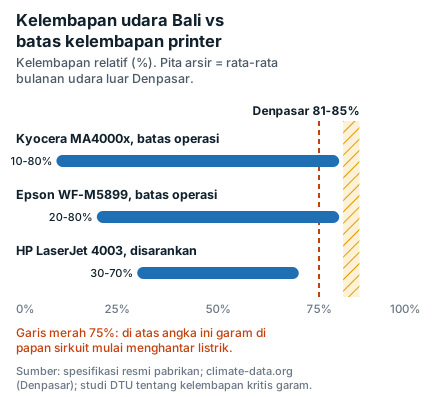
In plain terms: office printers are designed for controlled rooms, not open lobbies on a Bali beach. In an open lobby, salt on the machine almost never dries, because everyday humidity sits above the 75% threshold. Move the same machine into a closed air-conditioned room, where humidity usually drops to 50-60%, and the process slows dramatically.
Distance from the water matters too. Studies of airborne salt in several coastal cities show salt levels drop most sharply within the first 200 m of the shoreline, and Australia's corrosion guide (AS 4312) puts land within 200 m of surf beaches in its high-corrosivity band. Clifftop and beachfront resorts in Uluwatu, Canggu and Kuta are right in that zone. [CHECK: no Bali-specific corrosivity study found; do not quote corrosion rates]
What are the warning signs?
A printer affected by sea air usually degrades in stages: frequent jams or double feeds, then sensor errors that come and go, then rust spots on screws and frame, and finally sudden shutdowns.
| Symptom | Most likely cause | Can your team handle it? |
|---|---|---|
| Jams, double feeds, skewed pages | Damp paper, slick rollers | Yes: use paper from a freshly opened ream, fan the stack |
| Curled output | Damp paper plus fuser heat | Yes: flip the stack, keep reams sealed |
| Faded or patchy prints | Damp paper takes toner unevenly, or ageing toner/drum | Partly: try fresh paper first; if it persists, call a technician |
| Paper sensor or "cover open" errors with the cover closed | Salt and dust on sensors, early contact corrosion | No, needs a technician |
| Rust on screws, frame or rails | Constant salt plus high humidity | No, do not scrub or oil it yourself |
| Shuts down, restarts, or will not start after rain | Condensation on the board, or low voltage | Switch off, let it sit, check the socket; if it repeats, call a technician |
| Fuser or power supply errors | Voltage swings, generator changeover | No, needs a technician |
Why does it get worse in the rainy season?
Printers struggle most in Bali's wet season (roughly November to March, peaking January-February) because paper absorbs moisture and condensation forms more easily. Manufacturers aim for paper moisture of 4-6%. Damp paper goes limp, curls, sticks together and takes toner unevenly, which means jams and faded prints.
Condensation is the second problem. When 28°C air at 80% humidity touches a surface cooler than about 24°C, water forms on it. That is exactly what happens when a printer spends the night in a 20-22°C air-conditioned office and the front office doors open onto the lobby in the morning.
| Air around the printer | Dew point | What it means |
|---|---|---|
| 27°C (81°F), 80% RH | 23.3°C | Anything below 23°C gets wet |
| 28°C (82°F), 80% RH | 24.2°C | A printer coming out of a 22°C room will condense |
| 28°C, 85% RH (peak wet season) | 25.2°C | Even a 24°C room is not safe |
| 24°C, 60% RH (closed AC room) | 15.8°C | Safe |
Method: dew point calculated with the Magnus formula (constants 17.62 and 243.12°C), rounded.
The wet season also overlaps with the year-end peak. Printers work hardest exactly when the air is wettest.
How does unstable power damage printers at resorts?
Voltage swings damage printer power supplies and fusers, especially on laser machines that draw a heavy current while the fuser heats up. Indonesia's PLN service standard (SPLN 1) allows roughly 198-231 V on a 220 V supply. At resorts, voltage can fall outside that range at peak load, at the end of a long line, or when the property switches between grid and generator.
Bali has also had large outages. On 2 May 2025 around 80% of the island lost power from late afternoon until about 3:30 am the next day. When power returns and everything restarts at once, surges are common.
What we do at ASG: our technician checks the socket and voltage at installation. If voltage dips often, ASG fits a 1,100 or 2,200 VA stabilizer to suit the machine. For printers, a UPS is not needed.
What can your team do without a technician?
Most failures can be prevented cheaply with three habits: keep the printer in a closed air-conditioned room, keep paper sealed, and check the power.
Placement checklist
- Put the printer in an air-conditioned room with a door, such as the back office behind reception, not on a desk facing the open lobby.
- Keep it away from doors, windows and openings that face the sea. A single wall or glass partition already helps.
- Do not place it directly in the AC airflow. Cold air pushes the machine below the dew point.
- Never on the floor. Use a waist-high desk or shelf.
- Leave around 10-30 cm to the wall for ventilation [CHECK: minimum clearance per model manual].
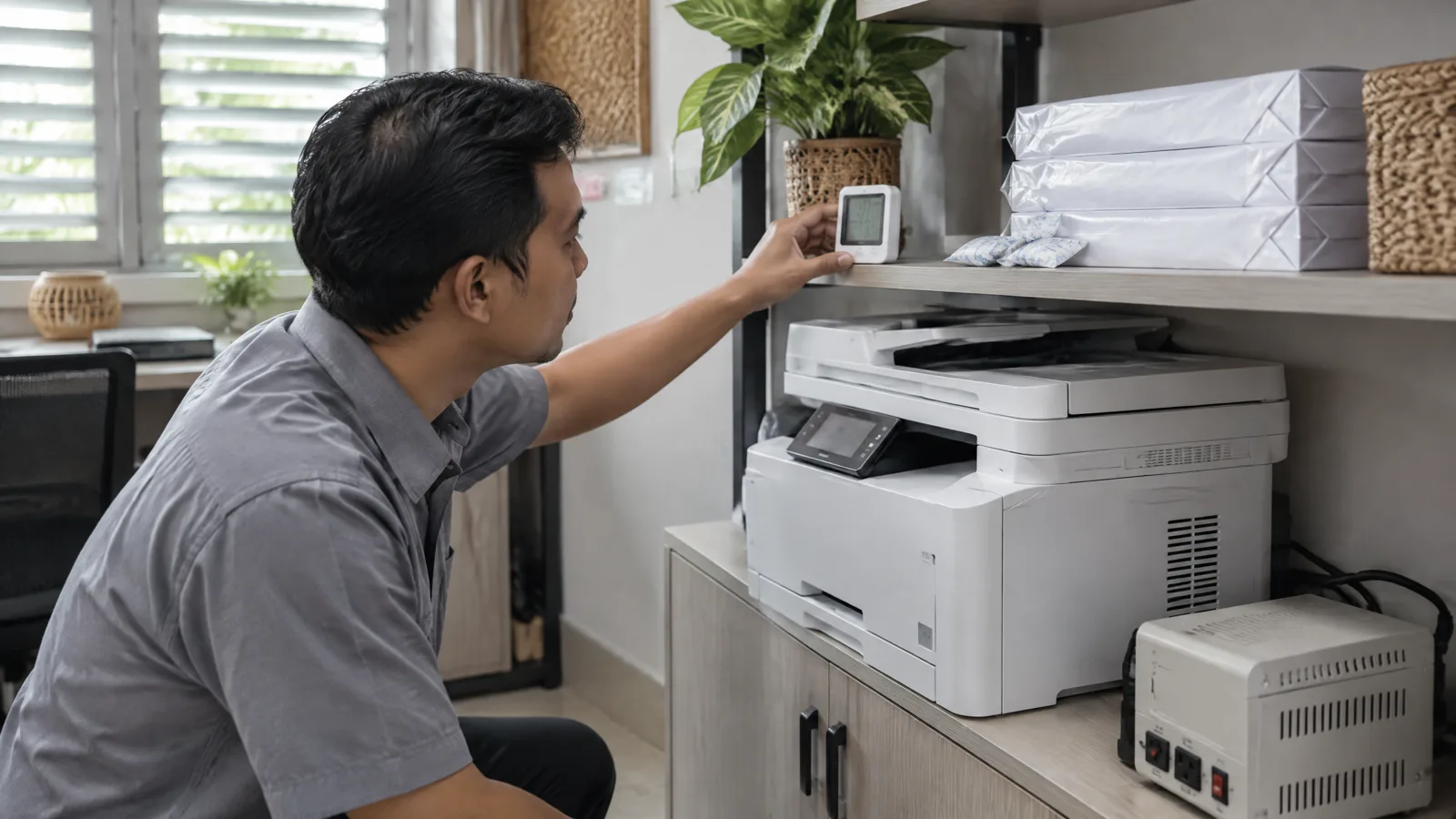
- Fit a small digital thermo-hygrometer next to it. Aim for below 60% RH, and check early in the morning before the AC is fully on.
- If the AC goes off overnight, leave the printer on in sleep mode. A warm machine condenses less.
- After moving a printer from a cold room to a warmer one, wait 1-3 hours before switching on. Manufacturers give 1 hour (Ricoh, Oki) to 3 hours (HP).
- Give the printer its own socket; do not share with a water dispenser, mini-fridge or heater.
- For villas and lobbies with no closed room: choose a printer without a fuser (business inkjet) and cover it with a cloth cover when idle, once it has cooled down.
Paper checklist
- Keep reams in their original wrapping until use, in a closed cabinet, off the floor and away from outside walls.
- In the wet season, open only one day's worth. Rewrap opened reams tightly.
- Bring paper into the printer room a day ahead so it matches room temperature. Kyocera suggests 48 hours.
- Do not stock more than about three months of paper.
- Fan the stack before loading, and do not leave the tray overfilled for days.
Weekly five-minute routine
- Wipe the outside with a dry microfiber cloth. Never spray liquid onto the machine.
- Look at the screws and frame around the trays. Orange or white spots? Note and report them.
- Print a test page and compare it with last week's: faded, patchy, lines?
- Count this week's paper jams. A rising count is the early warning before a breakdown.
What not to do
- Do not spray WD-40 or oil inside a printer. It sticks to the paper path, attracts dust and can ruin rubber rollers. Some online answers suggest it; for office printers the risk outweighs the benefit.
- Do not open the casing yourself, especially on a rented or warranty machine.
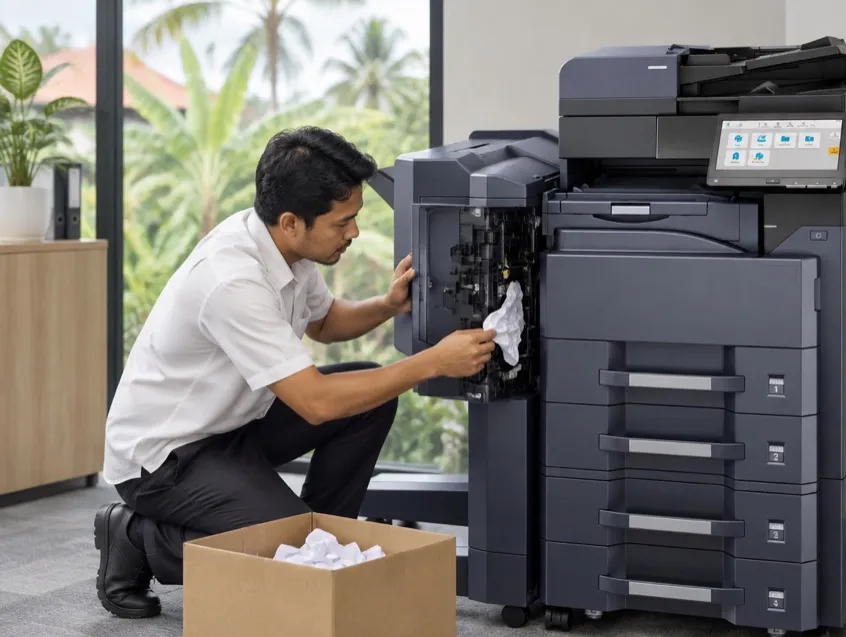
- Do not pull out jammed paper with a screwdriver or scissors. One scratch can ruin the drum, which costs around IDR 4 million on a Kyocera.
- Do not wrap a warm printer in plastic. Trapped moisture condenses inside.
Laser or inkjet for a beachfront front office?
For a reception desk that is open to sea air, ASG usually recommends a business inkjet such as the Epson WorkForce Pro WF-M5899, and keeps laser printers in the air-conditioned back office. The reason is mechanical. A laser printer fuses toner with heat and needs a cooling fan that keeps pulling air through. Epson's business inkjets use Heat-Free technology with no fuser, so far less outside air is drawn in.
That does not make laser a bad choice. Laser is faster, cheap per page and very reliable in an air-conditioned room. Several AI answers we tested recommend "business-class laser" for coastal front offices; in our experience, where the machine sits matters more than what type it is.
| Situation | What we recommend | Note |
|---|---|---|
| Reception in an open lobby near the beach | Epson WF-M5899 (mono) or EM-C800 (colour) | More frequent checks |
| Front office behind a partition, air-conditioned | Kyocera MA4000x or MA4000wifx | Folios, registration, passport scans |
| Back office and accounts, air-conditioned | Kyocera MZ4000i (A3) | High volume, month-end close |
| Villa with no closed room | Business inkjet, or MA4000wifx at the management office | See checklist item 10 |
Some sites stay hard even with the right machine. At one of our customers, the lobby has a very high roof and a strong sea wind. Our technician even reversed the machine's fan so it would stop drawing air in, but salt still got through. In the end we swapped that machine on a fixed cycle, roughly every two months whether it had failed or not, and serviced the returned unit at our workshop. [TIMOTHY STORY: confirm details and permission]
When should you call a technician, and when does a rental with service make more sense?
Call a technician when the symptoms are inside the machine: rust on the frame, repeated sensor errors, sudden shutdowns or fuser errors. Consider a rental with scheduled service when failures keep coming back and repair costs are hard to predict. On the coast, corrosion will keep coming; what matters is how quickly machines are checked and swapped.
| Your situation | Sensible next step |
|---|---|
| Occasional jams, printer in an AC room | Work through the paper checklist |
| Repeated jams even with fresh paper | Technician to check rollers and sensors |
| Rust on the frame, sensor errors, shutdowns | Technician; stop using it until checked |
| Owned machine has failed more than once in six months | Add up a year of service and parts, compare with renting |
| Open lobby, cannot move the printer | Fuser-free machine plus more frequent checks, or a rental with a standby unit |
What an ASG rental includes:
- Machine, toner, service and parts are covered for the machine's service life, except misuse such as prying out paper with hard objects or clips and staples inside.
- So far, corrosion on ASG rental machines has been handled at no extra charge. Our technicians also help find a better-protected spot for the machine.
- Monthly maintenance on every contract: waste toner, rollers, drum, developer, fuser and printhead checks.
- A 1,100 or 2,200 VA stabilizer supplied by ASG where voltage often dips. No UPS needed.
- Contract customers in Bali, Lombok, and Labuan Bajo are first guided over WhatsApp or video call. If that does not fix it, a technician arrives within 3 hours of your report, during business hours (Mon-Fri 8:30 am-5:30 pm, Sat 8:30 am-12:30 pm).
- Urgent cases at the front office, cashier or month-end close are still attended by the area technician outside business hours.
- If the machine cannot be fixed on site, ASG brings a replacement unit the same day. [CHECK ASG]
- About a month of spare toner is kept on site. Meter readings are taken at the machine, so it never needs to connect to the hotel network.
Note: ASG does not supply paper, so the paper checklist still applies to rented machines.
ASG's service area for hotels and villas:
- Bali, Lombok, and Labuan Bajo: a 3-hour guarantee for contract clients, counted from the time you report, during business hours.
- The Gilis: scheduled visits from ASG Nusa's office in Mataram.
- Labuan Bajo: served from ASG's depot in Wae Tuak, with the 3-hour guarantee for contract clients.
FAQ
Why do printers rust so fast at beachfront hotels in Bali? Printers at beachfront hotels in Bali rust quickly because sea salt settles on screws, frames and connectors, and Bali's average humidity of over 80% keeps that salt wet and corrosive. Machines in open lobbies are hit first; machines in closed air-conditioned rooms last far longer.
What humidity should a hotel printer room be kept at? For printers at hotels and villas in Bali, ASG recommends keeping the room below 60% relative humidity, ideally 40-60%. HP recommends 30-70% for the LaserJet Pro 4003, and the operating limit for the Kyocera ECOSYS MA4000x and Epson WorkForce Pro is 80%, while Bali's outdoor average is 81-85%.
Is inkjet more resistant to sea air than laser? At reception desks open to sea air, ASG's technicians in Bali find business inkjets such as the Epson WorkForce Pro last longer than laser printers, because they have no fuser and no cooling fan pulling outside air through. In air-conditioned rooms, laser printers remain reliable and faster.
Why does paper jam more in Bali's rainy season? Paper jams more in Bali's rainy season because it absorbs moisture from the air, goes limp, curls and sticks together, so rollers pick two sheets or the page catches. Keep reams sealed, open one day's supply at a time, and fan the stack before loading.
Can I spray WD-40 on a rusty printer? ASG advises against spraying WD-40 or any oil inside a printer, because it coats the paper path, attracts dust and can damage rubber rollers. Rust on the frame or connectors should be handled by a technician, and on ASG rental machines that is covered by the contract.
Do villa printers need a UPS when the power is unstable? For printers at villas and hotels in Bali, ASG recommends a voltage stabilizer rather than a UPS. ASG technicians check the voltage at installation and fit a 1,100 or 2,200 VA stabilizer where it often dips; on rental machines ASG supplies it.
Does ASG cover corrosion damage on rental printers? So far, ASG rental printers at beachfront hotels and villas in Bali that suffered corrosion have been handled at no extra charge. ASG technicians also help reposition the machine and schedule more frequent checks for sites close to the sea.
How fast does an ASG technician come if the front office printer stops? For ASG contract customers in Bali, Lombok, and Labuan Bajo, the team first guides you over WhatsApp or video call, and if that does not fix it a technician arrives within 3 hours of your report during business hours. Urgent front office cases are still attended outside business hours by the area technician.
Sources
- Kyocera, Operation Guide ECOSYS MA4000wfx / MA4000x (lingkungan operasi).
- Epson, spesifikasi WorkForce Pro WF-M5799/WF-M5899; Epson Indonesia, Heat-Free Technology (epson.co.id/efg-businessinkjet).
- HP, spesifikasi LaserJet Pro 4003dw.
- Dell, Printer and paper storage environment (KB 000136198).
- Verdingovas, Jellesen, Ambat (DTU), studi kontaminasi NaCl dan kelembapan pada papan sirkuit.
- Studi deposisi klorida vs jarak pantai (Redalyc/Atmósfera 2018; KoreaScience 2004).
- Climate-data.org Denpasar [ganti/tambah normal BMKG].
- SPLN 1:1995 tentang tegangan standar (dikutip dari jurnal UGM/Undip).
- Antara, blackout Bali 2 Mei 2025.